100 Legit Apps To Make Money In South Africa
100 Legit Apps To Make Money In South Africa
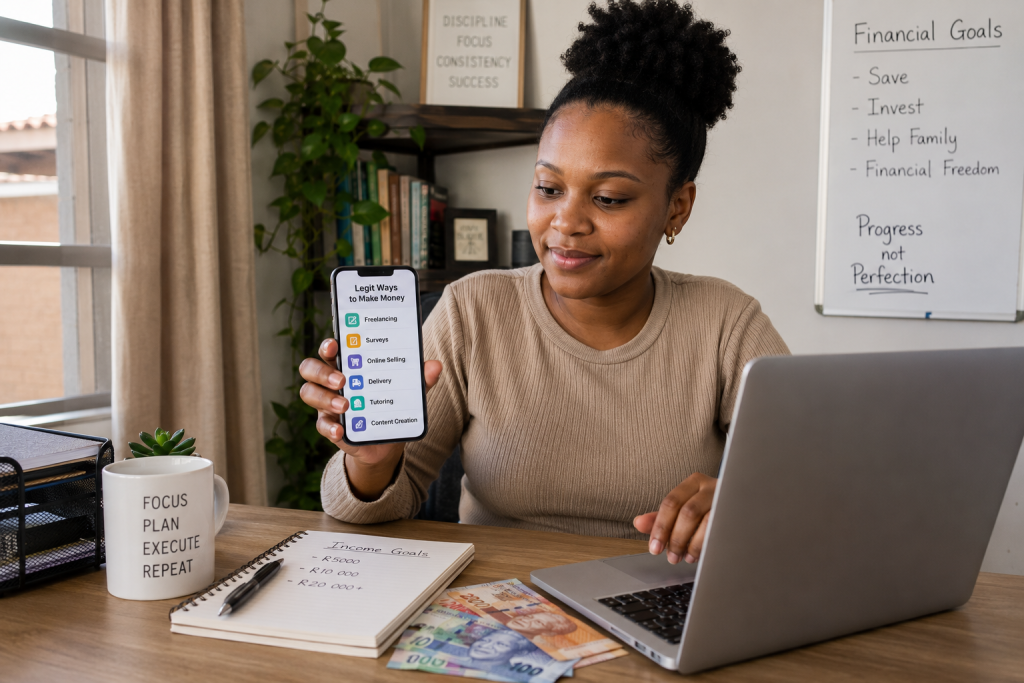
Making money from your phone is no longer just a dream.
In South Africa, many people are already using apps to earn extra income, find freelance work, sell products, deliver orders, teach online, create content, complete tasks, and build small digital businesses from home.
The important thing is knowing which apps are actually worth your time.
Some apps can help you earn real money.
Others may only give small rewards.
And unfortunately, some “money-making apps” are not trustworthy at all.
That is why this guide focuses on legit apps and realistic earning methods, not fake promises or overnight success stories.
If you are a student, unemployed job seeker, stay-at-home parent, side hustler, freelancer, or someone looking for extra income, these apps can help you explore different ways to earn.
However, it is important to understand this from the beginning:
An app does not magically make you rich.
The app is only the tool.
Your income usually comes from the work you do, the service you offer, the products you sell, the audience you build, or the value you provide.
For example, a freelancing app connects you with clients.
A delivery app connects you with customers.
A selling app helps you reach buyers.
A content creation app helps you build an audience.
A survey app may reward you for opinions, but usually only with small amounts.
So instead of asking, “Which app gives free money?” a better question is:
Which app matches my skills, time, phone, location, and income goals?
That is what this article will help you understand.
Table of Contents
- What Makes a Money-Making App Legit?
- What You Need Before Using These Apps
- Best Apps for Freelancing
- Best Apps for Selling Products Online
- Best Delivery and Driver Apps
- Best Apps for Remote Work
- Best Survey and Rewards Apps
- Best Content Creation Apps
- Best Apps for Affiliate Marketing
- Best Apps for Digital Product Sellers
- Best Tutoring and Teaching Apps
- Best Cashback and Rewards Apps
- Best Investing and Saving Apps
- Best Apps for Small Business Owners
- Best Apps for Creators and Influencers
- Apps to Be Careful Of
- How to Avoid Money-Making App Scams
- Best Apps for Beginners
- Frequently Asked Questions
- Final Takeaway
What Makes a Money-Making App Legit?
A legit money-making app should have a clear way of helping you earn.
You should be able to understand exactly where the money comes from.
For example:
- Freelancing apps pay you when clients hire you for work.
- Selling apps help you sell products to buyers.
- Delivery apps pay you for completing deliveries.
- Tutoring apps connect you with students.
- Content apps help you build an audience and monetize later.
- Survey apps reward you for completing market research tasks.
- Cashback apps give you rewards when you shop through them.
If an app promises huge money but cannot clearly explain how you earn, that is a warning sign.
A real app should also have clear terms, reviews, payment information, contact details, and a proper company behind it.
Before using any money-making app, check whether it is available in South Africa, how payments work, and whether users have reported serious issues.
What You Need Before You Start
Before downloading many apps, prepare the basics first.
A Smartphone With Enough Storage
Most people can start with a smartphone.
However, your phone should have enough space for apps, documents, photos, videos, screenshots, and communication tools.
If your phone is slow or full, it may affect your ability to work properly.
Internet Access
Most money-making apps require mobile data or Wi-Fi.
If you are using delivery, selling, freelancing, tutoring, or content creation apps, you need reliable internet access to communicate, upload files, respond quickly, and complete tasks.
A Payment Method
Different apps pay in different ways.
Some may pay through:
- Bank transfer
- PayPal
- Payoneer
- Wise
- Wallet balance
- Vouchers
- Airtime
- Gift cards
- App credits
For South Africans, it is always important to check whether the payment method works locally before spending too much time on the app.
Basic Digital Skills
You do not need to be a technology expert, but you should know how to:
- Create an account
- Upload documents
- Send messages professionally
- Take clear photos
- Follow instructions
- Manage passwords
- Avoid suspicious links
- Track payments
These basic skills can protect you from mistakes and scams.
Important Warning Before Using Money-Making Apps
Not every app that says “make money” is worth your time.
Be careful of apps that promise:
- Guaranteed income
- Instant cash
- Huge daily earnings
- No work required
- Payment only after recruiting others
- High joining fees
- Secret earning systems
- Requests for banking PINs or passwords
Real online income usually requires effort.
Even with a good app, you still need consistency, patience, and common sense.
If something sounds too good to be true, research it first.
Different Types of Money-Making Apps
Not all money-making apps work the same way.
Some are active income apps, meaning you earn when you do work.
Others are business tools that help you sell, promote, or manage income.
Some give small rewards, while others can become part of a serious side hustle.
Here are the main categories we will cover in this article:
| App Category | How You Make Money |
|---|---|
| Freelancing Apps | Offer services to clients |
| Selling Apps | Sell new, used, or digital products |
| Delivery Apps | Earn from deliveries or transport work |
| Survey Apps | Earn small rewards for opinions |
| Content Creation Apps | Build an audience and monetize |
| Tutoring Apps | Teach students online |
| Cashback Apps | Earn rewards from purchases |
| Investing Apps | Grow money over time, with risk |
| Business Apps | Manage payments, products, and customers |
| Affiliate Apps | Earn commissions from referrals |
Best Approach for Beginners
If you are new to making money with apps, do not download 20 apps in one day.
That usually creates confusion.
Start with one category.
For example:
If you have a skill, start with freelancing apps.
If you have products, start with selling apps.
You might have a car, bike, or scooter, explore delivery apps.
If you enjoy creating videos, focus on content creation apps.
If you want small rewards only, try survey or cashback apps.
The goal is not to chase every app.
The goal is to choose the right app for your situation and use it properly.
Best Apps for Freelancing and Online Services
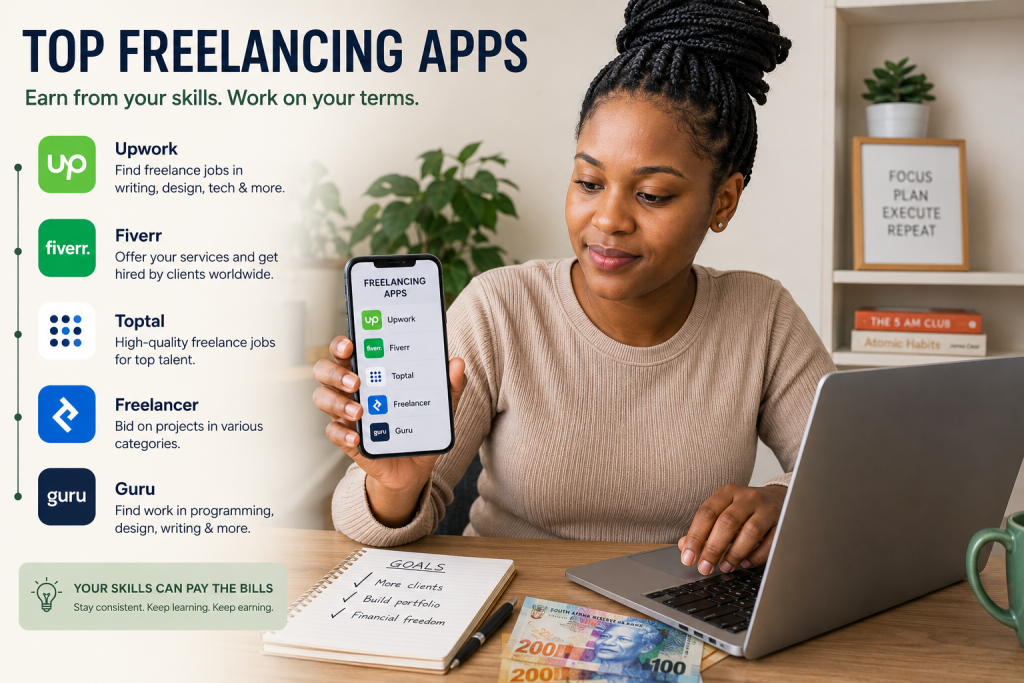
Freelancing apps are some of the best money-making apps because they help you earn from your skills.
Instead of waiting for a traditional job, you can offer services online and get paid by clients who need help.
This can work well for South Africans who can write, design, edit, assist with admin, manage social media, build websites, translate, create videos, or provide customer support.
The income is not automatic.
You still need to create a strong profile, apply for jobs, communicate professionally, and deliver good work.
But once you build experience, freelancing can become one of the most reliable ways to make money online.
1. Upwork
Upwork is one of the most popular freelancing platforms in the world.
It connects freelancers with clients who need services such as writing, design, admin support, customer service, web development, marketing, and virtual assistance.
South Africans can use Upwork to apply for international freelance jobs, which can be attractive because some clients pay in stronger currencies.
To succeed on Upwork, your profile must look professional.
Add a clear profile photo, write a strong bio, list your skills, and create samples of your work.
If you are new, do not try to apply for every job.
Focus on jobs that match your skill level and send personalized proposals.
2. Fiverr
Fiverr is another popular freelancing app where you create service listings called gigs.
Instead of only applying for jobs, you create offers and clients can order from you.
Examples of Fiverr gigs include:
- Logo design
- Blog writing
- Voice-over work
- Video editing
- Social media posts
- Website design
- Business name ideas
- CV writing
- Product descriptions
- YouTube thumbnails
Fiverr can be good for beginners because you can package your skills into simple services.
For example, instead of saying “I do graphic design,” you can say:
“I will design a professional WhatsApp business poster for your small business.”
A specific offer is easier to sell.
3. Freelancer
Freelancer is a platform where clients post projects and freelancers bid for the work.
You can find jobs in writing, design, data entry, marketing, programming, translation, and many other categories.
The platform can be competitive, so beginners should avoid sending copy-and-paste proposals.
Read the project carefully and explain how you can help.
If you have samples, include them.
Clients want to feel that you understand their problem, not just that you are looking for any job.
4. PeoplePerHour
PeoplePerHour is another freelancing platform where you can offer services to businesses and individuals.
It is useful for freelancers who want to work on writing, admin, design, marketing, SEO, and business support tasks.
Like other freelance platforms, your profile matters.
A strong profile should explain:
- What you do
- Who you help
- What results you can provide
- What experience or samples you have
- Why clients should trust you
Even if you are new, you can build trust with clear communication and professional examples.
5. Guru
Guru is a freelance platform where you can offer services in areas such as admin, writing, design, programming, sales, marketing, and business consulting.
It may not be as popular as Upwork or Fiverr, but it can still be useful because it gives freelancers another place to find clients.
One mistake beginners make is depending on only one platform.
It is better to test a few platforms, see where you get responses, and focus on the one that works best for your skill.
6. Contra
Contra is a freelancing platform designed for independent workers and creators.
It can be useful for people offering services such as design, content creation, marketing, writing, development, and creative work.
A clean portfolio is important here.
If you want to use Contra properly, prepare examples of your work first.
This could include sample social media designs, writing samples, website mockups, edited videos, or case studies from previous work.
7. LinkedIn
LinkedIn is not only for professionals looking for full-time jobs.
It can also help freelancers find clients and remote work opportunities.
You can use LinkedIn to:
- Build a professional profile
- Connect with business owners
- Apply for remote jobs
- Share helpful posts
- Promote your services
- Find freelance opportunities
- Build authority in your field
For example, if you offer CV writing, you can post tips about CV mistakes, job search strategies, and interview preparation.
If you offer social media management, you can post advice for small businesses.
This helps people see your knowledge before they hire you.
8. Indeed
Indeed is useful for finding remote jobs, part-time work, customer support roles, admin jobs, data capturing, writing jobs, and virtual assistant opportunities.
It is not a quick-money app, but it can help you find more stable work-from-home opportunities.
When searching, use keywords such as:
- Remote
- Work from home
- Virtual assistant
- Customer support
- Data entry
- Content writer
- Online tutor
- Social media assistant
Always read job descriptions carefully and avoid listings that ask for suspicious upfront payments.
9. Glassdoor
Glassdoor can help you research companies before applying for remote jobs or freelance opportunities.
It is useful because you can often find company reviews, salary estimates, interview experiences, and job listings.
Before accepting an online job, it helps to check whether the company looks real and professional.
This is especially important when applying for remote jobs from unknown companies.
10. FlexJobs
FlexJobs focuses on remote, flexible, freelance, and part-time work.
It is known for screening job listings, which can help reduce the risk of scam jobs.
However, users should always check costs and terms before joining any paid job platform.
This app may suit people who are serious about remote work and want to search for more professional work-from-home roles.
11. Remote OK
Remote OK is useful for people looking for remote jobs, especially in tech, marketing, customer support, writing, and digital roles.
Many opportunities are international, so you need a strong CV and good communication skills.
Some jobs may require previous experience, but checking remote job boards regularly can help you understand what skills are in demand.
12. We Work Remotely
We Work Remotely is another platform for finding remote jobs from companies around the world.
It is useful for roles such as:
- Customer support
- Programming
- Marketing
- Product management
- Design
- Writing
- Sales
If you want remote work, do not only apply.
Also improve your skills while searching.
Remote jobs are competitive, so anything that makes your application stronger can help.
13. SimplyHired
SimplyHired can help you search for jobs across different categories, including remote and flexible work.
It can be useful when you want to compare opportunities from different companies.
Search using specific terms rather than broad words.
For example, instead of only searching “online job,” search:
- Remote customer support
- Virtual assistant South Africa
- Work from home data entry
- Remote sales assistant
- Online English tutor
Specific searches usually bring better results.
14. Remotive
Remotive is a remote job platform that shares work-from-home opportunities from different companies.
It can be useful for South Africans who want to apply for international remote roles.
Some opportunities may require experience, but browsing these listings helps you see which skills employers are looking for.
If you keep seeing the same requirements, such as customer support tools, CRM systems, writing skills, or digital marketing experience, you can start learning those skills.
15. Jobgether
Jobgether is another remote job search platform that focuses on flexible and remote opportunities.
It can help job seekers explore different remote roles across industries.
As with any job platform, always check the employer, job description, salary details, and application process carefully.
A legit job should clearly explain the role, responsibilities, requirements, and payment structure.
16. Outsourcely
Outsourcely connects remote workers with businesses looking for long-term remote help.
It includes categories such as virtual assistance, customer support, sales, marketing, writing, and software development.
This platform may suit people who want more stable remote work instead of short one-time tasks.
For beginners, virtual assistant and customer support roles may be easier starting points than highly technical jobs.
17. Truelancer
Truelancer is a freelancing platform where users can offer services in writing, design, data entry, programming, marketing, and other online skills.
It can be another option for beginners who want to test different freelance marketplaces.
When using platforms like this, be careful with clients who ask you to work outside the platform before trust is established.
Keeping communication and payment inside the platform can offer more protection.
18. Workana
Workana is a freelance marketplace that includes jobs in writing, design, marketing, admin, translation, and technology.
It may be useful if you want to reach clients outside the usual big platforms.
The same freelancing rules apply:
- Build a strong profile
- Apply for relevant jobs
- Communicate clearly
- Deliver on time
- Ask for reviews after good work
- Improve your portfolio
Good reviews can help you get more clients later.
19. TaskRabbit
TaskRabbit is known for connecting people with local tasks and services.
Availability may depend on location, so South Africans should always check whether the app works in their area before relying on it.
Where available, task-based apps can be useful for services such as errands, small repairs, moving help, cleaning, furniture assembly, and practical local work.
This is better suited for people who want flexible service-based income rather than purely online work.
20. Facebook
Facebook is not usually described as a money-making app, but it can be one of the most useful apps for finding clients.
You can use Facebook to:
- Join business groups
- Promote services
- Sell products
- Find local clients
- Share your portfolio
- Advertise digital products
- Connect with community buyers
- Build a page for your service
For example, if you offer CV writing, you can post helpful career tips in job seeker groups.
If you design posters, you can post samples in small business groups.
If you sell products, Facebook Marketplace and local groups can help you reach buyers.
Used properly, Facebook can become a powerful income tool.
Practical Tips for Getting Your First Client
Getting your first client is often the hardest part.
Once you get one good client, it becomes easier to build confidence, collect testimonials, and improve your offer.
Here are practical tips:
- Start with one clear service.
- Create 3 to 5 samples.
- Write a short service description.
- Post your offer on WhatsApp, Facebook, and LinkedIn.
- Apply for small beginner-friendly jobs.
- Reply quickly to messages.
- Be honest about what you can do.
- Deliver on time.
- Ask satisfied clients for feedback.
Do not wait until you feel perfect.
Start with what you can do now and improve as you gain experience.
Beginner Freelance Services You Can Offer From Your Phone
If you do not have a laptop yet, you can still start with phone-friendly services such as:
- WhatsApp poster design
- Social media caption writing
- Basic video editing
- Product listing support
- Customer message replies
- Online research
- TikTok content planning
- Facebook page management
- CV editing using mobile apps
- Digital product promotion
A laptop will make things easier, but a phone is enough to begin learning, testing, and building confidence.
Best Apps for Selling Products Online
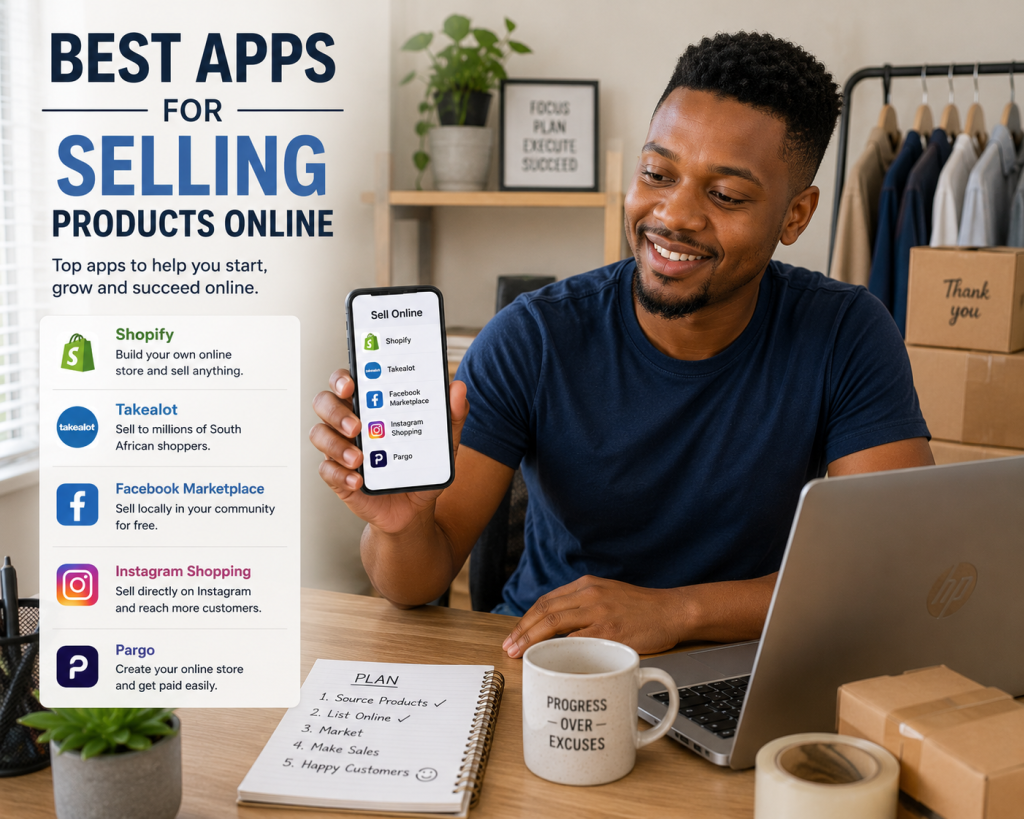
Selling apps are useful because they help you reach buyers without needing a physical shop.
You can sell new products, second-hand items, handmade goods, digital products, fashion items, phone accessories, books, home items, beauty products, and small business products.
For many South Africans, selling online is one of the most practical ways to start making money because you can begin with what you already have.
You might start by selling clothes you no longer wear, then later move into reselling, supplier products, digital products, or your own branded items.
The key is to use the right app for the type of product you want to sell.
21. Facebook Marketplace
Facebook Marketplace is one of the easiest places to start selling online because many South Africans already use Facebook daily.
You can sell:
- Clothing
- Shoes
- Phones
- Furniture
- Home items
- Baby products
- Beauty products
- Electronics
- Second-hand goods
- Local services
Facebook Marketplace works well for local selling because buyers can search by area.
If you want to make money through reselling, this can be a strong starting point.
For example, you can buy products at a lower price, take better photos, write clearer descriptions, and resell them at a profit.
22. WhatsApp Business
WhatsApp Business is one of the most useful apps for small sellers in South Africa.
You can use it to create a simple business profile, set business hours, organize chats, create quick replies, and display products in a catalogue.
This is useful if you sell through WhatsApp status, Facebook groups, TikTok, or Instagram.
Instead of sending every product manually, you can direct people to your WhatsApp catalogue.
Products you can sell through WhatsApp Business include:
- Digital products
- Clothing
- Hair products
- Food items
- Beauty products
- Phone accessories
- Supplier lists
- eBooks
- Handmade goods
- Local services
For NewPLUG-style digital products, WhatsApp Business can be especially useful because customers often want to ask questions before buying.
23. Gumtree South Africa
Gumtree is a well-known classifieds platform where people can buy and sell different items.
It can be useful for selling second-hand goods, services, electronics, vehicles, furniture, and household products.
If you have unused items at home, Gumtree can help turn them into cash.
It is also useful for testing demand before investing in stock.
For example, if you want to start selling home appliances, tools, or furniture, checking Gumtree can help you see what people are buying and how sellers price similar items.
Always meet buyers safely and avoid suspicious payment arrangements.
24. Yaga
Yaga is a selling platform that is popular for pre-loved fashion and lifestyle items.
It is useful if you want to sell clothing, shoes, accessories, and other personal items online.
This can work well for people who want to clear out wardrobes, resell thrifted fashion, or build a small online fashion side hustle.
The advantage of fashion resale is that you can start with items you already own.
Before buying stock, test whether people like your style, pricing, and photos.
Good lighting and clean product photos matter a lot when selling clothes online.
25. Bob Shop
Bob Shop is a South African online marketplace where sellers can list products and reach online buyers.
It can be useful for people who want to sell products more professionally than only using social media.
You can sell categories such as electronics, collectibles, fashion, home items, beauty products, and more.
Marketplaces like Bob Shop can help you reach buyers who are already shopping online.
However, you should always check seller fees, listing rules, payment processes, and delivery requirements before depending on any platform.
26. Takealot Marketplace
Takealot Marketplace allows approved sellers to list products on Takealot.
This can be powerful because Takealot is one of South Africa’s biggest online shopping platforms.
However, it is not always the easiest option for complete beginners.
You usually need proper products, reliable stock, pricing strategy, supplier planning, packaging, and the ability to follow marketplace requirements.
Takealot can suit sellers who are more serious about e-commerce and ready to operate professionally.
If you are still testing a product idea, start with WhatsApp, Facebook Marketplace, or your own small store first.
Once demand is proven, you can consider larger marketplaces.
27. Shopify
Shopify is a platform that allows you to create your own online store.
It is useful if you want more control over your brand, product pages, checkout experience, and marketing.
You can sell:
- Physical products
- Digital products
- Dropshipping products
- Print-on-demand products
- eBooks
- Templates
- Supplier lists
- Online services
Shopify is not free forever, so beginners should think carefully before paying monthly fees.
It works best when you already have a product idea, a marketing plan, and a clear target customer.
28. WooCommerce
WooCommerce is a popular e-commerce plugin for WordPress websites.
If you already have a WordPress site, WooCommerce can help you turn it into an online store.
It can be used to sell physical products, digital downloads, services, bookings, and subscriptions.
WooCommerce gives you more control, but it may require more setup than simple marketplace apps.
This option is better for people who want to build a long-term online business and are willing to learn website management.
29. Ecwid
Ecwid is an e-commerce tool that helps you sell products online through a website, social media, or other online channels.
It can be useful for small business owners who want a simple way to add products and manage orders.
You can use it for physical goods, digital products, and small online stores.
Like other store-building platforms, always check pricing and payment options before committing.
30. Gumroad
Gumroad is useful for selling digital products such as eBooks, guides, templates, courses, files, and creative resources.
If you create PDF products, Gumroad can help you upload the product, create a sales page, and receive payments.
This can be useful for creators, writers, designers, and digital product sellers.
For South Africans, always check payment availability, withdrawal options, fees, and supported countries before building your whole business on one platform.
31. Payhip
Payhip is another platform for selling digital products, memberships, and online downloads.
It can work well for people selling:
- eBooks
- PDF guides
- Templates
- Digital planners
- Courses
- Checklists
- Business documents
- Study notes
Digital products are powerful because you create the product once and sell it many times.
However, the platform does not bring customers automatically.
You still need traffic from TikTok, Facebook, WhatsApp, YouTube, Google, Pinterest, or your website.
32. Etsy
Etsy is known for handmade, creative, vintage, and digital products.
It can be useful if you create unique items such as printable planners, digital templates, wall art, handmade jewellery, craft products, or custom gifts.
Competition can be high, so your product photos, titles, descriptions, and niche matter.
Etsy may suit creative sellers more than general resellers.
Before starting, check whether your product type fits Etsy’s rules and whether South African sellers can use the payment options available at the time.
33. eBay
eBay is an international marketplace where people sell new, used, collectible, and niche products.
It may be useful for sellers who want to reach international buyers.
However, selling internationally requires more planning because you must consider shipping, customs, delivery times, returns, and fees.
This is better for sellers who understand their product category and can manage customer expectations properly.
34. Amazon Seller
Amazon has expanded its presence in South Africa, and some sellers may consider Amazon Seller opportunities depending on product category and marketplace requirements.
This can be attractive for serious sellers, but it is not a quick-money shortcut.
You need to understand:
- Product sourcing
- Competition
- Pricing
- Fees
- Delivery requirements
- Customer service
- Stock management
If you are new to selling, test your product locally first before moving to bigger marketplaces.
35. Instagram
Instagram is a powerful app for selling visual products.
It works especially well for:
- Fashion
- Beauty
- Hair products
- Fitness products
- Food
- Handmade goods
- Digital products
- Coaching
- Lifestyle products
Instagram helps you build a brand, show product photos, post testimonials, and communicate with customers through direct messages.
To sell better on Instagram, your page should look trustworthy.
Use a clear bio, contact details, product highlights, customer reviews, and consistent posts.
36. TikTok
TikTok can help sellers reach many people quickly through short videos.
You can use TikTok to show:
- Product demonstrations
- Before-and-after results
- Packing orders
- Customer reviews
- Tutorials
- Behind-the-scenes content
- Business tips
- Product benefits
TikTok works well because people like seeing real examples.
Instead of only posting product pictures, show how the product is used and why it is helpful.
For example, if you sell digital products, create short videos explaining the problem your PDF solves.
37. Pinterest
Pinterest is useful for products that people search for visually.
It can work well for:
- Digital planners
- Templates
- Printables
- Home decor
- Fashion ideas
- Beauty tips
- Business ideas
- Blog posts
- Recipes
- DIY products
Pinterest can drive traffic to your website, blog, or digital product page.
It is not always fast, but it can become useful over time if you create attractive pins and link them to helpful content or products.
38. Canva
Canva is not a marketplace by itself, but it is one of the most useful apps for creating product images, digital products, posters, social media posts, eBook covers, flyers, and templates.
You can use Canva to create:
- Product adverts
- Price lists
- Digital product covers
- Instagram posts
- TikTok slides
- WhatsApp posters
- PDF guides
- Business cards
- Menus
- Checklists
For many beginners, Canva is one of the easiest tools for creating professional-looking content without advanced design skills.
You can also use Canva to create digital products that you later sell through your website, Payhip, Gumroad, WhatsApp, or social media.
39. CapCut
CapCut is useful for creating short videos to promote products and services.
If you sell online, video can help people trust your product faster than a plain image.
You can use CapCut to edit:
- Product videos
- TikTok ads
- Instagram Reels
- YouTube Shorts
- Customer testimonial videos
- Packing order videos
- Tutorial videos
This is especially helpful if you sell through TikTok, Instagram, Facebook, or WhatsApp status.
A simple, clear product video can attract more attention than a basic poster.
40. Yoco
Yoco is useful for South African small businesses that want to receive card payments or online payments.
For home-based sellers, payment links can make it easier for customers to pay without needing cash.
This can be useful for selling digital products, services, physical products, bookings, or small business offers.
A professional payment method can also build trust because customers feel safer when the payment process looks organized.
Always check transaction fees and payment terms before choosing any payment provider.
Practical Tips for Making Your First Online Sale
Making your first online sale usually comes down to trust and visibility.
People need to see your offer, understand it, and feel safe buying from you.
Start with a simple product and make the buying process easy.
Use:
- Clear product photos
- Simple descriptions
- Honest pricing
- Delivery information
- Payment options
- Customer support
- Testimonials where possible
- WhatsApp contact details
- Frequently asked questions
Do not hide important information.
If delivery takes 3 to 7 days, say so.
And if a digital product is delivered by email or WhatsApp, explain that clearly.
If there are no refunds on digital downloads, state it politely before payment.
The clearer you are, the fewer problems you will have with customers.
Best Products to Sell Using These Apps
Beginner-friendly products include:
- Phone accessories
- Clothing
- Shoes
- Beauty products
- Hair products
- Digital guides
- CV templates
- Supplier lists
- Study notes
- Handmade gifts
- Candles
- Soaps
- Home items
- Fitness accessories
- Kids’ products
The best product is one that solves a problem, has demand, and leaves enough profit after all costs.
Always calculate your numbers before selling.
If you buy a product for R100 and sell it for R130, but delivery, packaging, and payment fees cost R35, you may actually lose money.
Best Delivery and Driver Apps
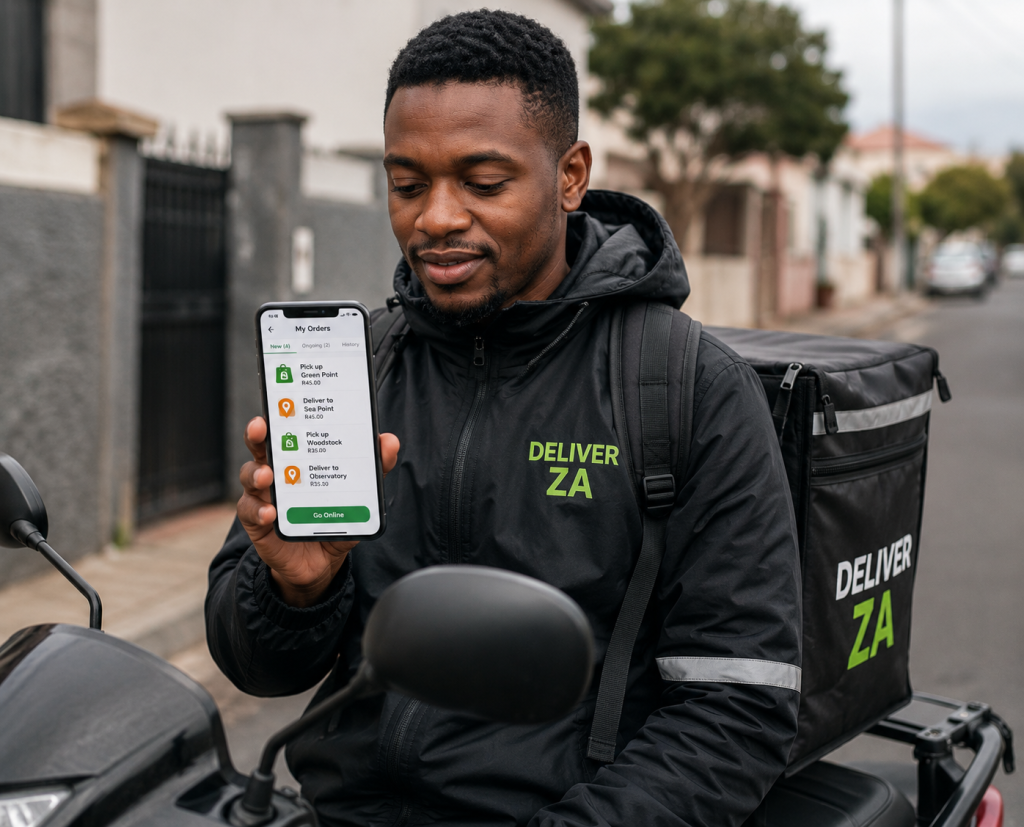
Delivery and driver apps can be a practical way to make money in South Africa if you have access to a car, motorbike, scooter, bicycle, or delivery vehicle.
These apps are not “free money” apps.
You earn by completing real work, such as transporting passengers, delivering food, delivering groceries, moving parcels, or completing local courier jobs.
Before joining any driver or delivery app, always check:
- Vehicle requirements
- Driver’s licence requirements
- PrDP requirements where applicable
- Background checks
- Insurance
- Fuel costs
- Maintenance costs
- Platform fees
- Safety policies
- Payment schedule
Your gross earnings may look good, but your real profit is what remains after fuel, airtime, maintenance, data, tyres, insurance, and other operating costs.
41. Uber Driver
Uber Driver is one of the most well-known ride-hailing apps in South Africa.
Drivers can use the Uber Driver app to accept trips, transport riders, and track earnings. Uber’s South African driver page explains that the app lets drivers go online, accept trip requests, and see earnings in the app. (uber.com)
This option may suit people who have a qualifying vehicle and want flexible driving income.
However, it is important to understand the costs involved.
You must consider fuel, vehicle wear and tear, insurance, cleaning, safety, and platform commission before deciding whether it is profitable for you.
42. Uber Eats Driver
Uber Eats allows delivery partners to make money by delivering food orders.
This can be done using a qualifying car, scooter, motorbike, or bicycle depending on location and platform requirements.
Uber Eats describes delivery as flexible work where people can make money delivering food orders through the app. (uber.com)
This may be a good option if you live in a busy city or area with many restaurants and regular orders.
Busy times often include lunch, evenings, weekends, and month-end periods.
43. Bolt Driver
Bolt Driver is another ride-hailing app used in South Africa.
Drivers can use the app to accept passenger trips and earn money on a flexible schedule. Bolt’s driver page promotes the opportunity to become a driver partner and set your own schedule. (bolt.eu)
Like Uber, this option requires careful calculation.
Do not only look at daily earnings.
Look at your net profit after fuel, maintenance, vehicle rental if applicable, and other costs.
44. Bolt Food Courier
Bolt Food Courier is designed for people who want to deliver food and groceries.
The Bolt Food Courier app listing says couriers can deliver with a car, e-scooter, bike, or motorbike, depending on the opportunity available in their area. (play.google.com)
This can be useful for people who want flexible work without transporting passengers.
As with all delivery apps, location matters.
If you are in an area with fewer restaurants or fewer orders, your earnings may be lower than someone working in a busy city zone.
45. Mr D Driver
Mr D is one of South Africa’s major food and grocery delivery platforms.
The Mr D’s driver page lists basic requirements such as a South African ID or work permit, valid South African driver’s licence, clear criminal background check, and an Android smartphone. (mrd.com)
This option may suit people who want delivery work rather than passenger transport.
To improve earnings, drivers usually need to understand busy zones, peak hours, customer communication, and efficient routes.
46. inDrive Driver
inDrive is a ride-hailing app where users can request rides and drivers can accept ride requests through driver mode.
The platform explains that drivers can register by selecting driver mode, completing online registration, and uploading requested documents. (indrive.com)
This app may appeal to drivers who want another ride-hailing option besides Uber and Bolt.
As always, check whether it operates strongly in your city before depending on it.
47. Picup Driver App
Picup is a South African last-mile delivery and technology company with a crowd-sourced driver network. (picup.co.za)
The Picup Driver App listing describes it as a flexible way to earn extra cash, with riders and drivers able to accept or decline delivery requests and receive payment into their bank accounts. (play.google.com)
This can be useful for people interested in parcel and on-demand delivery work.
Availability may depend on your city, transport type, and whether Picup is onboarding drivers in your area.
48. Pingo Deliver
Pingo is connected to last-mile delivery services and is known for supporting delivery for the Shoprite Group’s on-demand platforms.
Shoprite Holdings describes Pingo as a last-mile delivery company providing services for Sixty60 across South Africa. (shopriteholdings.co.za)
If you are interested in grocery delivery work, Pingo may be worth researching.
Always apply through official channels and avoid people on social media who ask for “registration fees” to get you accepted.
49. Droppa Driver
Droppa is a South African courier and moving platform.
The Droppa Driver app listing says drivers can receive jobs and attend bookings through the app. (play.google.com)
This may be useful for people with vehicles suitable for moving goods, parcels, furniture, or business deliveries.
If you have a bakkie, van, or larger vehicle, delivery and moving platforms may offer different earning opportunities compared to food delivery.
50. WumDrop Driver
WumDrop is a courier and delivery platform operating in South Africa.
Its driver page invites people to apply online to drive or partner in areas such as Cape Town, Johannesburg, Pretoria, Durban, and Nelspruit. (za.wumdrop.com)
This option may suit people interested in courier-style delivery rather than food delivery only.
Before applying, check what type of vehicle is required and whether there are active opportunities in your area.
51. LULA Driver
LULA focuses on scheduled transport and shuttle services.
Its driver partner page says drivers can receive scheduled trips booked through its network of business clients. (lulaloop.co.za)
This may be useful for drivers who prefer planned trips rather than constantly waiting for random requests.
It may also suit drivers who want more consistent business transport opportunities, depending on location and approval.
52. Lularides
Lularides is connected to delivery training and placement opportunities for young South Africans.
The organization describes its work as helping South Africans earn sustainable incomes through accredited last-mile delivery training and placements. (lularides.co.za)
This is not the same as simply downloading an app and earning immediately.
However, it can be useful for people who want to enter the delivery industry but need training, licensing support, or placement opportunities.
52. Takealot Delivery Team
Takealot has a large delivery network because many South Africans shop online through the platform.
Delivery opportunities may exist through Takealot’s delivery operations or partner networks, depending on location and current hiring needs.
This can be a more structured option than smaller gig apps, but it may also have stricter requirements.
If you are interested in e-commerce delivery work, keep an eye on official Takealot delivery and careers channels.
How to Make Delivery Apps More Profitable
Delivery and driver apps can work, but only if you manage your costs properly.
To increase your chances of earning profit:
- Work during busy hours.
- Learn high-demand areas.
- Track your fuel spending.
- Keep your vehicle maintained.
- Avoid unnecessary driving.
- Use safe routes.
- Keep your phone charged.
- Communicate professionally with customers.
- Compare platforms instead of relying on one app.
- Calculate weekly profit, not just daily income.
For example, making R600 in a day sounds good.
But if you spent R250 on fuel, R50 on data and airtime, and still need to account for maintenance, your real profit is much lower.
Always calculate properly.
Safety Tips Before Using Gig-Work Apps
Your safety matters more than any order or trip.
Before using delivery or driver apps:
- Avoid unsafe areas when possible.
- Do not carry large amounts of cash.
- Keep someone informed about your work route.
- Make sure your phone is charged.
- Avoid arguing with customers.
- Follow platform safety policies.
- Do not share your login details.
- Be careful of fake support messages.
- Avoid accepting suspicious private jobs outside the app.
- Keep emergency contacts available.
Also remember that some platforms require background checks and documents.
Do not pay random people who claim they can “approve” your account faster.
Always apply through official websites, app stores, or verified company channels.
Best Survey, Rewards, and Cashback Apps
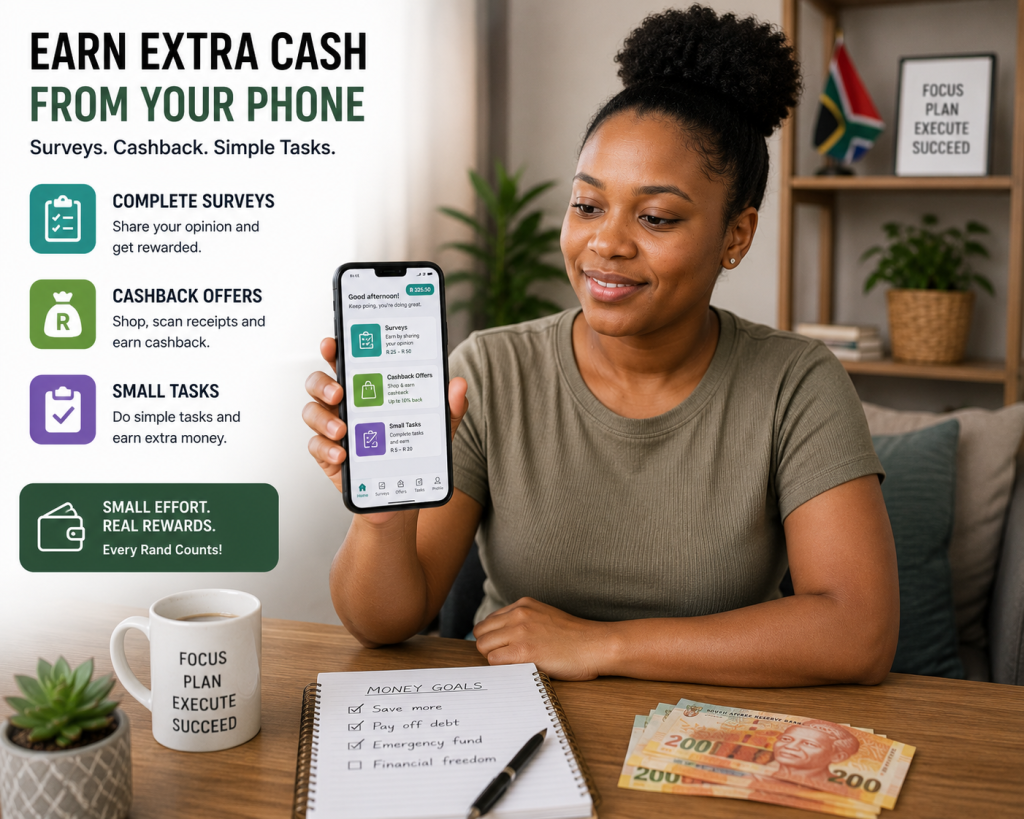
Survey and rewards apps are popular because they look easy to start.
You usually do not need advanced skills, a laptop, or business experience.
In many cases, you can answer questions, complete small tasks, upload receipts, test products, or earn small cashback rewards from your phone.
However, it is important to be realistic.
Survey and rewards apps are usually not the best way to build serious income.
They are better for small extra cash, airtime, vouchers, gift cards, or occasional rewards.
If you want stronger income potential, freelancing, selling products, digital products, delivery work, tutoring, or remote work usually offer better long-term opportunities.
Still, survey and rewards apps can be useful if you have spare time and understand their limits.
53. Google Opinion Rewards
Google Opinion Rewards is a survey app from Google where users can answer short surveys and receive rewards.
Also Google says users can receive Google Play or PayPal credit for completed surveys, depending on device, location, and eligibility.
Best Survey, Rewards, Cashback, and Small-Task Apps
Survey and rewards apps can be useful for earning small extra rewards from your phone, but they must be treated realistically.
These apps are not usually the best option if you need serious income.
They are better for:
- Airtime
- Vouchers
- Small PayPal payments
- Gift cards
- Cashback
- Extra pocket money
- Spare-time rewards
The good thing is that some of these apps are beginner-friendly and do not require advanced skills.
The downside is that earnings are often small and inconsistent.
You may not qualify for every survey, and some apps may have limited opportunities depending on your age, location, profile, and country availability.
So use survey and reward apps as extra income, not as your main income plan.
53. Google Opinion Rewards
Google Opinion Rewards is a survey-style app where users may receive short surveys and earn rewards.
The surveys are usually quick, but they are not always available daily.
This app is useful because it is simple and beginner-friendly.
However, do not expect large income from it.
It is better for small rewards than serious earnings.
54. Toluna Influencers
Toluna Influencers is a survey platform where users can share opinions and earn points.
These points may be redeemable for rewards depending on your location and account eligibility.
Toluna is useful for people who enjoy answering questions about brands, shopping habits, media, lifestyle, and consumer products.
As with most survey apps, you may not qualify for every survey.
The best approach is to complete your profile properly so the platform can match you with relevant surveys.
55. ySense
ySense is a rewards platform where users can earn from surveys, offers, and small online tasks depending on availability.
It can be useful for people who want to earn small amounts online during spare time.
However, earnings vary and some tasks may not be available in South Africa all the time.
Before spending too much time on any rewards platform, check the withdrawal options, minimum payout, and whether the payment method works for you.
56. SurveyTime
SurveyTime is another survey platform where users can complete surveys for rewards.
It is simple to use, but survey availability can vary.
The important thing with survey apps is patience.
Sometimes you may find available surveys.
Other times, you may be screened out because your profile does not match what the survey company needs.
This is normal in market research.
57. LifePoints
LifePoints is a survey platform that rewards users for sharing opinions.
Surveys may cover shopping, technology, lifestyle, products, services, and general consumer behaviour.
If you enjoy giving opinions and have spare time, it may be worth testing.
Just remember that survey income is usually small.
It should be treated as extra rewards, not a full salary replacement.
58. AttaPoll
AttaPoll is a mobile survey app that allows users to answer surveys from their phones.
It is popular because it is simple and mobile-friendly.
This can be useful for people who want to complete short surveys while waiting, commuting, or relaxing at home.
As always, check payment options and minimum withdrawal limits before depending on the app.
59. MOBROG
MOBROG is a survey platform where users can earn rewards by answering online surveys.
It may be suitable for South Africans who want to participate in market research.
Survey platforms like MOBROG usually work best when you fill in your profile honestly.
Do not fake information to qualify for more surveys.
That can get your account flagged or removed.
60. Triaba
Triaba is another online survey platform that may offer surveys to users in different countries.
It is worth testing if you want more survey options.
Because survey availability changes often, it is better to use several trusted survey apps rather than depending on only one.
This increases your chances of finding available surveys.
61. Swagbucks
Swagbucks is a rewards platform where users may earn points through surveys, offers, videos, shopping, and other online activities depending on location.
It is widely known internationally, but South African users should always check which earning options and payout methods are available locally.
Some reward platforms work better in countries like the United States or United Kingdom than they do in South Africa.
So test it carefully before investing too much time.
62. PrizeRebel
PrizeRebel is another rewards platform that offers surveys and online tasks.
It can be useful as an additional option if you are testing survey-style earning apps.
The same rule applies:
Check payout options, minimum withdrawal, country availability, and user reviews before relying on it.
Do not pay money to join survey apps.
Legit survey platforms should not require large joining fees.
63. Clickworker
Clickworker is a microtask platform where users may earn by completing small online tasks.
Tasks can include:
- Data categorization
- Text correction
- Research
- Surveys
- App testing
- AI-related data tasks
- Short writing tasks
Microtask platforms can be useful, but work availability can vary.
They are best for people who are patient, accurate, and comfortable following detailed instructions.
64. Appen
Appen is known for remote projects, data tasks, AI training tasks, search evaluation, and language-related work.
Some projects may be part-time and remote.
This can be better than ordinary survey apps because certain projects may pay more, but they may also require applications, tests, or specific skills.
If you are serious about online work, platforms like Appen can be worth exploring.
65. OneForma
OneForma offers remote tasks and projects related to AI, data collection, translation, transcription, and language work.
Opportunities can vary by country and project.
This may suit people who are detail-oriented and willing to complete qualification steps.
As with similar platforms, read project requirements carefully before applying.
66. UserTesting
UserTesting allows people to test websites, apps, and digital products by giving feedback.
This can be useful if you are comfortable speaking clearly, recording your screen, and explaining your thoughts while using a website or app.
User testing can pay better than basic surveys, but opportunities are not guaranteed.
You may need to pass a sample test before receiving paid tests.
67. Userlytics
Userlytics is another user testing platform where users may get paid to test websites, apps, prototypes, or online experiences.
This type of app is good for people who can explain what they see, what confuses them, and how the user experience can improve.
You do not need to be a software developer.
You mainly need to give honest, clear feedback from a normal user’s perspective.
68. Respondent
Respondent connects users with paid research studies.
Some studies may be interviews, surveys, product research, or professional research sessions.
This can sometimes pay better than basic survey apps because companies may look for specific participants with certain backgrounds, jobs, or experiences.
However, not everyone qualifies for every study.
Complete your profile honestly and apply only for studies that match you.
69. SnapnSave
SnapnSave is a South African cashback app where users can earn cashback on selected grocery and retail products.
This is not the same as earning income from work, but it can help you save money on items you already buy.
Cashback apps are useful when you use them wisely.
Do not buy things you do not need just because there is cashback.
The goal is to save money on normal purchases, not spend extra.
70. Store Rewards Apps
Some store reward apps and loyalty programmes can help South Africans save money, earn points, access discounts, or receive vouchers.
Examples include grocery and retail loyalty apps from major South African stores.
These apps may not make you “income” directly, but they can reduce your monthly spending.
That still matters.
Saving R100 or R300 on groceries, airtime, or essentials can have a real impact, especially when combined with other income methods.
Why Surveys Should Not Be Your Main Income Plan
Survey apps are easy to start, but they have limits.
You do not control how many surveys you receive.
You do not control whether you qualify.
And you do not control how much each survey pays.
That makes survey apps unreliable as a serious income stream.
If you want stronger earning potential, use surveys only as a small extra and focus more energy on:
- Freelancing
- Selling products
- Digital products
- Online tutoring
- Remote work
- Social media management
- Delivery work
- Content creation
Those methods usually offer better long-term income potential.
How to Use Reward Apps Safely
Before using any survey or reward app, check:
- Is the app available in South Africa?
- What are the payout options?
- What is the minimum withdrawal?
- Are rewards paid in cash, vouchers, points, or airtime?
- Are there recent user reviews?
- Does the app ask for suspicious information?
- Does it require a joining fee?
Avoid apps that ask for your banking PIN, password, or large upfront payments.
Also be careful with apps that push you to recruit people before earning.
That can be a warning sign.
Best Reward Apps for Beginners
If you are a beginner, start with simple apps that are easy to understand.
Survey apps, cashback apps, and user testing platforms can be useful for testing, but do not spend your whole day on them.
A better beginner strategy is:
Use reward apps during spare time.
Use your serious time to build a real income skill.
For example:
- Spend 20 minutes on surveys.
- Spend 1 hour learning freelancing.
- Spend 1 hour creating a digital product.
- Spend 30 minutes promoting your service.
That balance gives you small rewards now while building something bigger for later.
Best Content Creation Apps

Content creation apps can help you make money by building an audience.
This is different from freelancing or delivery work.
With content creation, you usually do not get paid immediately just for opening the app.
You earn by creating useful, entertaining, educational, or inspiring content that attracts viewers, followers, subscribers, customers, or buyers.
Once you build attention and trust, you can monetize through:
- Ads
- Sponsorships
- Affiliate links
- Digital products
- Paid promotions
- Brand deals
- Coaching
- Online courses
- Selling your own products
- Sending traffic to your website
Content creation takes patience, but it can become powerful because one good video, post, or article can keep attracting people long after you publish it.
71. YouTube
YouTube is one of the best content creation apps for people who want to build long-term online income.
You can create videos about almost any helpful topic, including:
- Tutorials
- Product reviews
- Side hustles
- App reviews
- Personal finance
- Business ideas
- Career advice
- Tech tips
- Entertainment
- Education
- Storytelling
- Lifestyle
YouTube can make money in several ways.
Once your channel qualifies for monetization, you may earn from ads through the YouTube Partner Program. YouTube also allows creators to earn through features such as channel memberships, Super Chat, Super Stickers, Super Thanks, and shopping features where available.
However, beginners should not depend only on YouTube ads.
You can also use YouTube to promote affiliate products, digital products, your website, online services, or business offers.
For example, a video about “best apps to make money in South Africa” can send viewers to a full article on NewPLUG or to a related digital product.
72. TikTok
TikTok is powerful because short videos can reach many people quickly, even if your account is still new.
You can use TikTok to create content around:
- Money-making tips
- Product demonstrations
- Business ideas
- App reviews
- Tutorials
- Storytelling
- Educational tips
- Behind-the-scenes content
- Digital product promotion
- Customer testimonials
TikTok can help creators earn through brand deals, affiliate marketing, selling products, sending traffic to websites, and promoting services.
Some TikTok monetization features depend on location, account eligibility, and platform rules, so South African creators should always check the latest monetization options inside the app.
Even without direct platform payouts, TikTok can still be valuable because it helps you build attention.
Attention can later turn into sales, leads, website traffic, or customers.
73. Facebook
Facebook remains useful for making money online in South Africa because many people still use it daily.
You can use Facebook for:
- Posting content
- Running a business page
- Selling in groups
- Building a community
- Promoting blog posts
- Sharing videos
- Driving traffic to a website
- Advertising products
- Finding clients
Facebook can be powerful because it combines content, community, marketplace selling, pages, and groups in one app.
For example, if you create content about home-based income ideas, you can also share digital products, blog links, service offers, or affiliate recommendations.
The key is to provide value first.
If every post is only “buy now,” people may ignore you.
But if you teach, explain, review, and share useful tips, your audience is more likely to trust your offers.
74. Instagram
Instagram works well for visual content and personal branding.
It can be useful for creators, sellers, freelancers, coaches, designers, fashion brands, beauty businesses, food businesses, and digital product sellers.
You can use Instagram to post:
- Reels
- Stories
- Carousels
- Product photos
- Testimonials
- Educational tips
- Behind-the-scenes content
- Customer results
- Service offers
Instagram can help you make money through sponsored posts, affiliate links, product sales, coaching, digital products, and service enquiries.
A strong Instagram page should clearly show what you offer and who you help.
Your bio should be simple, your posts should be consistent, and your contact method should be easy to find.
75. X
X, formerly Twitter, can be useful for people who enjoy short-form writing, opinions, business content, tech discussions, news commentary, personal branding, and networking.
You can use X to:
- Share useful threads
- Build authority
- Promote blog posts
- Connect with entrepreneurs
- Share affiliate links carefully
- Promote digital products
- Drive traffic to a website
- Find freelance clients
This platform works best for people who can communicate clearly and consistently.
If you write helpful posts every day in a focused niche, people may start following you for your insights.
Over time, that audience can support your services, newsletter, digital products, or website.
76. Pinterest
Pinterest is useful for creators because it works like a visual search engine.
People use Pinterest to search for ideas, guides, designs, recipes, templates, fashion inspiration, home ideas, business tips, and printables.
Pinterest can be especially useful for:
- Bloggers
- Digital product sellers
- Designers
- Etsy sellers
- Printable creators
- Food bloggers
- Fashion sellers
- Home decor businesses
If you write blog posts on NewPLUG, Pinterest can help drive traffic over time.
For example, you can create pins for articles such as:
- 100 Legit Apps To Make Money In South Africa
- 25 Legit Ways to Make Money From Home
- Best Digital Products to Sell Online
- How to Start a Side Hustle With Your Phone
Pinterest may not bring overnight traffic, but it can become a useful long-term traffic source.
77. Medium
Medium is a writing platform where people publish articles, personal essays, guides, and opinion pieces.
It can be useful for writers who want to build an audience without immediately creating their own website.
Some writers use Medium to test article ideas before publishing deeper content on their own blogs.
Depending on country availability and current programme rules, Medium monetization may not be available to everyone.
So South Africans should check the latest Medium Partner Program requirements before depending on it for income.
Even if direct monetization is limited, Medium can still help you build writing experience, attract readers, and direct people to your services or website where appropriate.
78. Substack
Substack is a newsletter platform that allows writers and creators to build an email audience.
You can send free or paid newsletters about topics such as business, money, careers, technology, lifestyle, investing, parenting, education, or entrepreneurship.
Email audiences are powerful because you are not only depending on social media algorithms.
If people subscribe to your newsletter, you can reach them directly through their inbox.
Substack can be useful for creators who want to build trust over time and later monetize through paid subscriptions, sponsorships, digital products, affiliate links, or consulting.
79. Spotify for Podcasters
Spotify for Podcasters allows creators to publish and manage podcasts.
Podcasting can work well if you enjoy speaking, interviewing people, telling stories, or explaining topics.
You can start a podcast about:
- Business ideas
- Side hustles
- Personal finance
- Careers
- Motivation
- Local entrepreneurship
- Digital products
- Online income
- Industry interviews
Podcast income can come from sponsorships, listener support, affiliate links, selling products, or promoting your services.
It may take time to build listeners, so podcasting is best for people who enjoy consistent content creation.
80. Canva
Canva is one of the most useful content creation apps because it helps you design professional-looking visuals without advanced design skills.
You can use Canva to create:
- Instagram posts
- Facebook posters
- TikTok slides
- YouTube thumbnails
- Pinterest pins
- eBook covers
- Digital product pages
- Price lists
- Infographics
- Blog images
- Business presentations
Canva can help you make money in two ways.
First, you can use it to create content for your own brand or products.
Second, you can offer Canva design services to small businesses that need posters, adverts, menus, or social media content.
81. CapCut
CapCut is a beginner-friendly video editing app that works well for TikTok videos, Instagram Reels, YouTube Shorts, Facebook videos, and product promos.
You can use it to edit:
- Short tutorials
- Product videos
- Voice-over clips
- Before-and-after videos
- App review videos
- Business promotions
- Customer testimonial videos
- Educational content
Video content is powerful because people often trust what they can see.
If you sell products, show the product.
You may teach something, show the steps.
If you review apps, show the screen and explain clearly.
A simple, useful video can bring more results than a fancy video with no clear message.
82. InShot
InShot is another mobile video editing app that can help creators edit short videos, add text, trim clips, adjust size, add music, and prepare content for social media.
It is useful for beginners who want to create clean videos from their phones.
If you are building a side hustle, simple video editing skills can help you promote your own business or offer editing services to others.
Many small businesses need short videos but do not know how to create them.
83. YouTube Studio
YouTube Studio is important if you are serious about YouTube.
It helps creators manage their channels, check analytics, reply to comments, track performance, upload thumbnails, and understand which videos are working.
Analytics matter because they show you what your audience responds to.
For example, if your videos about money-making apps perform better than general motivation videos, that tells you what to create more of.
Smart creators do not only post.
They study the results and improve.
84. Meta Business Suite
Meta Business Suite helps creators and small businesses manage Facebook and Instagram pages from one place.
You can use it to schedule posts, reply to messages, check insights, manage comments, and organize content.
This is useful if you run a page for your own brand or manage social media for clients.
For example, if you offer social media management as a service, Meta Business Suite can help you manage content professionally.
85. Linktree
Linktree helps creators organize important links in one simple bio page.
This is useful because many social platforms only give you one main bio link.
You can use Linktree to link to:
- Your website
- Digital products
- YouTube channel
- Blog articles
- Affiliate links
- Online store
- Booking page
- Email signup form
This can help turn attention into action.
If someone likes your content, they need an easy way to find your offers.
86. Beacons
Beacons is another creator link-in-bio tool that helps you organize links, products, services, and content in one place.
Creators use tools like Beacons to make their social media profiles more useful.
Instead of sending people one link at a time, you can create a simple hub that points visitors to your most important offers.
This is helpful if you are promoting multiple things, such as a blog, YouTube channel, digital products, affiliate tools, and WhatsApp contact.
How Creators Can Turn Attention Into Income
Many beginners think followers automatically mean money.
That is not always true.
You can have many followers and still make little money if you do not have a clear monetization plan.
A better approach is to connect your content to an income path.
For example:
| Content Type | Possible Income Path |
|---|---|
| App reviews | Affiliate links, blog traffic, YouTube ads |
| Business tips | Digital products, coaching, services |
| Product videos | Online store sales |
| Career advice | CV services, templates, courses |
| Tutorials | Affiliate tools, eBooks, paid guides |
| Personal finance content | Sponsorships, affiliate products, courses |
The content attracts attention.
The offer turns attention into income.
Best Content Apps for Beginners
If you are just starting, do not try to post everywhere at once.
Choose one main content platform and one support platform.
For example:
- TikTok + WhatsApp Business
- YouTube + blog
- Instagram + Linktree
- Facebook + WhatsApp
- Pinterest + blog
- Medium + email newsletter
This helps you stay consistent without becoming overwhelmed.
Once you understand what works, you can expand to more platforms.
Best Tutoring and Teaching Apps
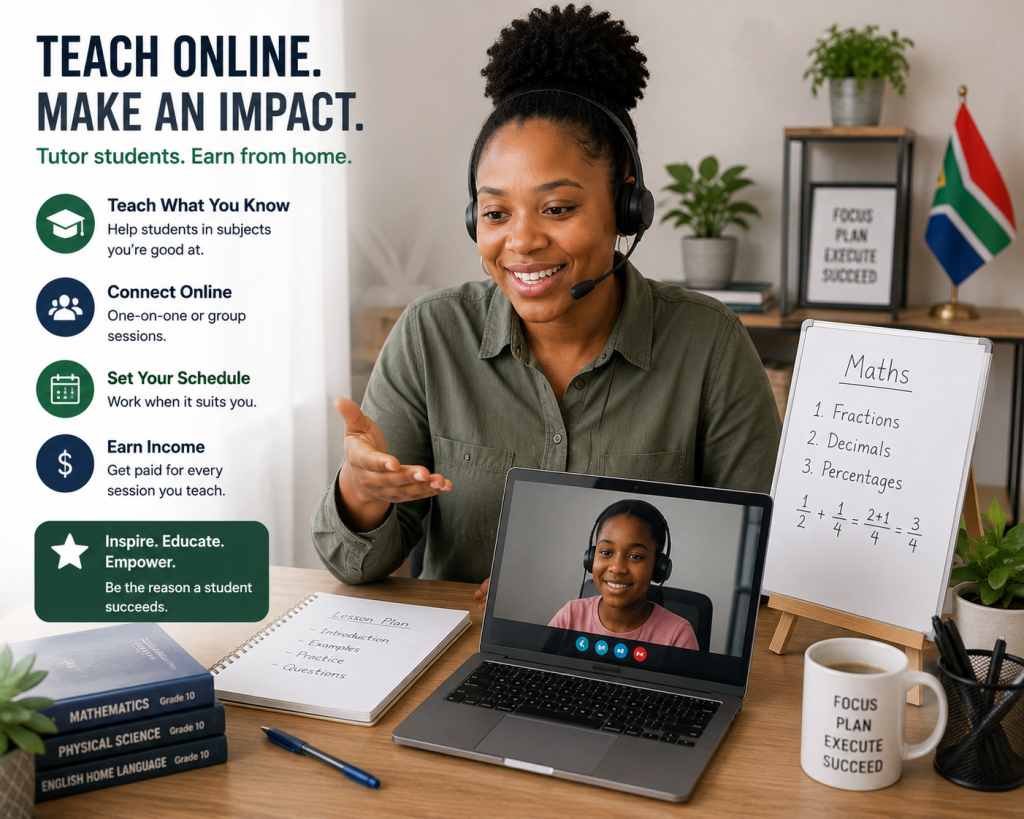
Tutoring and teaching apps can help you make money by sharing knowledge you already have.
This is a strong option for South Africans who are good at explaining subjects, languages, skills, software, business topics, or exam preparation.
You do not always need to be a qualified teacher to start, depending on the platform and subject.
However, you do need patience, good communication, reliability, and the ability to help learners understand clearly.
You can teach:
- English
- Mathematics
- Accounting
- Business Studies
- Physical Sciences
- Computer literacy
- Coding basics
- Canva design
- Digital marketing
- CV writing
- Interview preparation
- Entrepreneurship
- Music
- Fitness
- Languages
- University subjects
Teaching online can work as a side hustle or a long-term income stream if you build a good reputation.
87. Preply
Preply is an online tutoring platform where tutors can teach students from different countries.
It is especially popular for language tutoring, but tutors may offer other subjects depending on platform categories and demand.
Preply says tutors can teach from anywhere, set their own schedule, and teach students from many countries.
Best Tutoring and Teaching Apps
Tutoring and teaching apps are a good option if you know how to explain something clearly.
You do not always need to be a qualified school teacher to earn from teaching online.
Depending on the platform, you may be able to teach:
- English
- Mathematics
- Accounting
- Business Studies
- Computer literacy
- Coding
- Digital marketing
- Music
- Fitness
- Career skills
- Interview preparation
- Canva design
- Entrepreneurship
- A language you speak well
Teaching apps are powerful because people are always looking for help with school, work, business, language learning, and personal development.
If you are patient, reliable, and good at breaking information down, online tutoring can become a real income stream.
87. Preply
Preply is an online tutoring platform where tutors can teach languages and other subjects to students around the world.
It can be useful for South Africans who want to teach English or another subject online.
The platform allows tutors to create profiles, set availability, and connect with learners. Preply also provides information for people who want to become tutors through its official tutor application pages.
To improve your chances, your tutor profile should look professional.
Add a clear photo, explain what you teach, mention who your lessons are for, and describe your teaching style in a friendly way.
88. Cambly
Cambly is known for online English conversation practice.
It connects English speakers with learners who want to improve their speaking confidence.
This can be useful if you are fluent in English and enjoy conversation-based teaching.
Cambly tutor availability and requirements can change, so always check the latest official application process before depending on it.
This option may suit people who are patient, friendly, and able to hold natural conversations with learners from different countries.
89. italki
italki is a language learning platform where tutors and teachers can offer language lessons online.
If you can teach English, isiZulu, Afrikaans, or another language, this type of platform may be worth exploring.
Language teaching works best when you can help learners with practical goals such as speaking confidence, pronunciation, grammar, business communication, or exam preparation.
Even if you are not a formal teacher, some platforms allow community tutoring or conversation practice, depending on their current rules.
90. AmazingTalker
AmazingTalker is another online tutoring platform where tutors may offer lessons in languages and other subjects.
It can be useful for people who want to teach online and build a student base over time.
As with all tutoring platforms, your profile matters.
Students want to know:
- What you teach
- Your experience
- Your teaching style
- Your lesson price
- Your availability
- What results they can expect
A short introduction video can also help students trust you.
91. Superprof
Superprof is available in South Africa and connects tutors with learners across many subjects.
It can be useful for people who want to teach locally or online.
Tutors can offer lessons in school subjects, languages, music, fitness, academic support, business skills, and more. Superprof has a South African platform where learners can search for tutors by subject and location.
This is a good option if you want to offer tutoring to South African learners and students.
92. TeacherOn
TeacherOn is a platform where tutors can connect with students looking for online or local lessons.
It covers many subjects, including school subjects, university topics, languages, coding, music, and professional skills.
This type of platform may suit people who want to offer subject-specific tutoring rather than general conversation lessons.
If you use TeacherOn or similar platforms, make sure your profile clearly explains your subject, level, pricing, and availability.
93. TutorOcean
TutorOcean is an online tutoring platform where tutors can teach different subjects remotely.
It may be useful for people who want to offer academic tutoring, skills training, or subject support.
Tutoring platforms like this are usually more effective when you choose a clear niche.
For example, “Grade 12 Accounting tutor” is stronger than simply saying “I teach many things.”
Specific offers are easier for learners and parents to understand.
94. Classgap
Classgap is another online teaching platform where tutors may offer lessons in languages, academic subjects, and skills.
It can be useful if you want to teach international learners.
As always, check tutor requirements, supported countries, payment methods, and platform fees before spending too much time building your profile.
Online teaching can be rewarding, but you must understand how each platform pays tutors.
95. Udemy
Udemy allows instructors to create and sell online courses.
This is different from live tutoring.
Instead of teaching one learner at a time, you create a course once and students can buy it later.
Udemy provides official resources for people who want to become instructors and publish courses.
You can create courses about:
- Excel basics
- Digital marketing
- Small business skills
- Freelancing
- CV writing
- Graphic design
- Coding
- Personal finance basics
- Entrepreneurship
- Study skills
A course takes effort to create, but it can become a long-term digital product.
96. Skillshare
Skillshare is a learning platform where creators can publish classes, usually around creative and practical skills.
It may suit people who can teach:
- Design
- Photography
- Writing
- Illustration
- Video editing
- Productivity
- Business skills
- Creative entrepreneurship
If you enjoy creating educational videos, Skillshare can be worth researching.
Just remember that course platforms are not automatic income.
You still need a useful course topic, clear lessons, good presentation, and promotion.
97. Teachable
Teachable helps creators build and sell their own online courses.
This can be useful if you do not want to depend only on a marketplace like Udemy.
With Teachable, you can create your own course brand and promote it through your website, YouTube channel, TikTok, email list, or WhatsApp audience.
This is better for people who already have an audience or a strong marketing plan.
For example, a NewPLUG-style creator could build a course about selling digital products, starting an online side hustle, or creating a beginner blog.
98. Thinkific
Thinkific is another platform for creating and selling online courses.
It can help you organize lessons, videos, downloads, quizzes, and student access.
This is useful for coaches, tutors, trainers, and digital entrepreneurs who want to package their knowledge professionally.
Like Teachable, Thinkific works best when you can bring your own traffic.
The platform helps you host the course, but you still need to promote it.
99. Zoom
Zoom is not a tutoring marketplace, but it is one of the most useful apps for teaching online.
You can use Zoom to run:
- One-on-one tutoring sessions
- Group lessons
- Coaching calls
- Workshops
- Webinars
- Online training
- Business consultations
For example, if you offer CV writing support, you can use Zoom to host a paid “CV improvement workshop” for job seekers.
If you teach accounting, you can run weekly revision classes.
Zoom helps you deliver the lesson, but you still need to find students through social media, referrals, WhatsApp, Facebook groups, or your website.
100. Google Meet
Google Meet is another useful app for online tutoring, coaching, interviews, and consultations.
Many people already have Google accounts, which makes it simple to use.
You can use Google Meet for:
- Tutoring sessions
- Study groups
- Business coaching
- Client consultations
- Remote training
- Language lessons
- Interview preparation
This is a good option if you want a simple, professional way to meet students online without complicated setup.
How to Earn by Teaching What You Know
The best way to earn from teaching apps is to choose one clear subject and one clear audience.
Instead of saying:
“I teach everything.”
Say something like:
- “I help Grade 12 learners improve Accounting marks.”
- “I teach beginners how to use Canva.”
- “I help job seekers prepare for interviews.”
- “I teach from teaching apps is to choose one clear subject and one clear audience.
Instead of saying:
“I teach everything.”
Say something like:
- “I help basic computer skills to adults.”
- “I help small business owners create social media content.”
A focused offer is easier to sell.
People want to know exactly how you can help them.
Teaching App Income Tips
To improve your chances of earning:
- Create a professional tutor profile.
- Use a clear profile photo.
- Explain your teaching style.
- Offer beginner-friendly pricing at first.
- Prepare lessons properly.
- Be patient with learners.
- Ask for reviews after good sessions.
- Keep lessons structured.
- Communicate professionally.
- Show up on time.
Tutoring is built on trust.
If students or parents trust you, they may book again or refer others.
Best Apps for Beginners
If you are new to money-making apps, the best apps are the ones that are simple to understand and match your current skills.
You do not need to start with the most complicated method.
Start with apps that help you earn from something practical.
For beginners in South Africa, good starting categories include:
- Selling apps
- Freelancing apps
- Delivery apps
- Tutoring apps
- Content creation apps
- Cashback apps
- Digital product tools
The best beginner app depends on what you already have.
If you have products, start with Facebook Marketplace, WhatsApp Business, Yaga, or Gumtree.
If you have a skill, start with Fiverr, Upwork, LinkedIn, or Facebook groups.
You might have a car or bike, explore delivery and driver apps.
If you enjoy creating videos, start with TikTok, YouTube, CapCut, and Canva.
If you want small rewards, test survey and cashback apps, but do not rely on them as your main income source.
Beginner App Comparison
| Beginner Goal | Apps to Consider | Why They Help |
|---|---|---|
| Sell products | Facebook Marketplace, WhatsApp Business, Yaga, Gumtree | Easy to start with local buyers |
| Offer services | Fiverr, Upwork, LinkedIn, Facebook | Helps you find clients |
| Create content | TikTok, YouTube, Instagram, CapCut | Builds an audience |
| Teach online | Preply, Superprof, Zoom, Google Meet | Lets you earn from knowledge |
| Earn small rewards | Google Opinion Rewards, Toluna, SnapnSave | Good for small extras |
| Sell digital products | Gumroad, Payhip, Shopify, WooCommerce | Helps sell PDFs and downloads |
Apps to Be Careful Of
Not every money-making app deserves your time.
Some apps are not necessarily scams, but they may waste your time because the rewards are too small, the withdrawal limit is too high, or the payment method does not work well in South Africa.
Be careful with apps that:
- Promise unrealistic daily earnings
- Force you to recruit people before earning
- Ask for upfront joining fees
- Require your banking PIN or passwords
- Hide withdrawal rules
- Have many complaints about unpaid users
- Do not clearly explain how money is made
- Use fake testimonials
- Pressure you to act quickly
A legit app should make sense.
You should understand what you are doing, how you earn, when you get paid, and what risks are involved.
How to Avoid Money-Making App Scams
Before using any app, take a few minutes to check it properly.
Look at recent reviews.
Search for complaints.
Read the payment terms.
Check whether it supports South African users.
Also check whether the app is asking for information that does not make sense.
For example, a survey app does not need your banking PIN.
A freelance client does not need your account password.
A delivery app should have a proper application process.
A selling platform should explain fees clearly.
If something feels rushed, secretive, or too good to be true, rather step back and research first.
Frequently Asked Questions
1. Can I really make money with apps in South Africa?
Yes, you can make money with apps in South Africa through freelancing, selling products, delivery work, tutoring, content creation, cashback, surveys, and digital products.
The income depends on the app, your effort, your skills, and how consistently you use it.
2. Which app is best for making money in South Africa?
There is no single best app for everyone.
For selling, Facebook Marketplace and WhatsApp Business are good starting points.
As for freelancing, Upwork, Fiverr, and LinkedIn can help.
For content creation, YouTube and TikTok are strong options.
For teaching, Preply, Superprof, Zoom, and Google Meet can be useful.
3. Can I make money using only my phone?
Yes.
You can sell products, promote digital products, create TikTok videos, manage WhatsApp orders, answer surveys, communicate with clients, and offer simple services using only your phone.
A laptop helps with more advanced work, but a phone is enough to start.
4. Are survey apps worth it?
Survey apps can be worth it for small rewards, but they are not usually a serious income source.
They are better for airtime, vouchers, small PayPal payments, or extra pocket money.
For stronger income, focus on freelancing, selling, tutoring, digital products, or remote work.
5. Which apps pay real money?
Apps that connect you to real work, real buyers, or real customers are usually better.
Examples include freelancing platforms, selling apps, delivery apps, tutoring apps, and creator platforms.
Always check payout methods before using any app.
6. Do I need money to start using money-making apps?
Not always.
Many apps are free to download and test.
However, some methods may need costs such as data, transport, stock, packaging, course creation tools, website fees, or advertising.
Start small and avoid spending money before you understand the method.
7. What apps can students use to make money?
Students can try tutoring apps, survey apps, content creation apps, freelancing apps, selling apps, and digital product tools.
Good options include Superprof, Preply, TikTok, YouTube, Canva, Fiverr, Facebook Marketplace, and WhatsApp Business.
8. What apps can unemployed people use to earn income?
Unemployed people can start with apps that help them offer services or sell products.
Examples include WhatsApp Business, Facebook Marketplace, Fiverr, Upwork, LinkedIn, Canva, Gumtree, Yaga, and tutoring platforms.
The best approach is to choose one skill or product and promote it consistently.
9. Are delivery apps profitable?
Delivery apps can be profitable for some people, but you must calculate expenses.
Fuel, data, vehicle maintenance, insurance, platform fees, and time all affect real profit.
Always track your income and costs before deciding if delivery work is worth it.
10. Can I sell digital products using apps?
Yes.
You can create digital products with Canva, sell them through Gumroad, Payhip, Shopify, WooCommerce, WhatsApp Business, or your own website, and promote them on TikTok, Facebook, Instagram, YouTube, and Pinterest.
Digital products can work well because you create them once and sell them repeatedly.
11. Which apps are best for content creators?
Useful apps for content creators include YouTube, TikTok, Instagram, Facebook, CapCut, Canva, YouTube Studio, Meta Business Suite, Linktree, and Beacons.
These apps help you create, publish, manage, and monetize content.
12. How do I know if a money-making app is a scam?
Be careful if the app promises guaranteed income, asks for upfront fees, hides payment rules, has poor reviews, or requires you to recruit people before earning.
Also avoid apps that ask for your banking PIN, passwords, or sensitive information without a clear reason.
Conclusion
There are many legit apps to make money in South Africa, but the app itself is only a tool.
The real income comes from how you use it.
Freelancing apps help you sell your skills.
Selling apps help you reach buyers.
Delivery apps help you earn through transport and logistics.
Survey apps can give small rewards.
Content creation apps help you build an audience.
Tutoring apps help you earn from knowledge.
Business apps help you manage payments, products, and customers.
The best strategy is to choose apps that match your situation.
Do not download every app at once.
Pick one category, learn how it works, and give yourself time to improve.
If you stay consistent, build trust, avoid scams, and focus on providing real value, money-making apps can become a useful part of your income journey.
Final Takeaway
If you want to make money with apps in South Africa, start with one simple question:
What value can I provide?
If you can sell, teach, design, write, deliver, entertain, review, promote, or solve problems, there is likely an app that can help you reach customers or opportunities.
Start small.
Use trusted platforms.
Avoid unrealistic promises.
Track your results.
Improve your skills.
Over time, your phone can become more than just a device for scrolling.
It can become a real tool for building extra income.
Also Read:
How to Make Money Online in South Africa in 2026
Dr. Sebi’s Diet Cookbook With Pictures PDF – Side Hustle Idea
Dr. Sebi’s Herbal Medicine for Hair Growth – Side Hustle Idea
1000 Plants To Cure Cancer PDF – Side Hustle Idea
Lotto Secrets To Win PDF – Side Hustle Idea
Apparel Manufacturing Technology PDF – Side Hustle Idea
Adidas Global Supplier Research List – Side Hustle Idea
The Winning Lotto Strategies PDF – Side Hustle Idea
Watch All Sport Channels For Free PDF – Side Hustle Idea
Aviator Predictor PDF – Side Hustle Idea
The 233 Verified Supplier List PDF – Side Hustle Idea
Paul Kruger Coins and Medallions Treasure Map PDF – Side Hustle Idea
Betway Winning Strategy Guide – Side Hustle Idea
Learners Licence Questions & Answers Memo – Side Hustle Idea
Spina Zonke Best Times To Play PDF – Side Hustle Idea
Business Plan for Soap Making PDF – Side Hustle Idea
How to Start a Profitable Business by Sourcing and Reselling Products in South Africa
Reliable Hair Supplier In South Africa: Hair City
Kids Toy Supplier: The Toy Factory Shop
Reliable Supplier for Nicotine and Smoking Accessories: Wicked Imports